Reports & Analytics
Generate reports and analyze your property management data
Available Reports
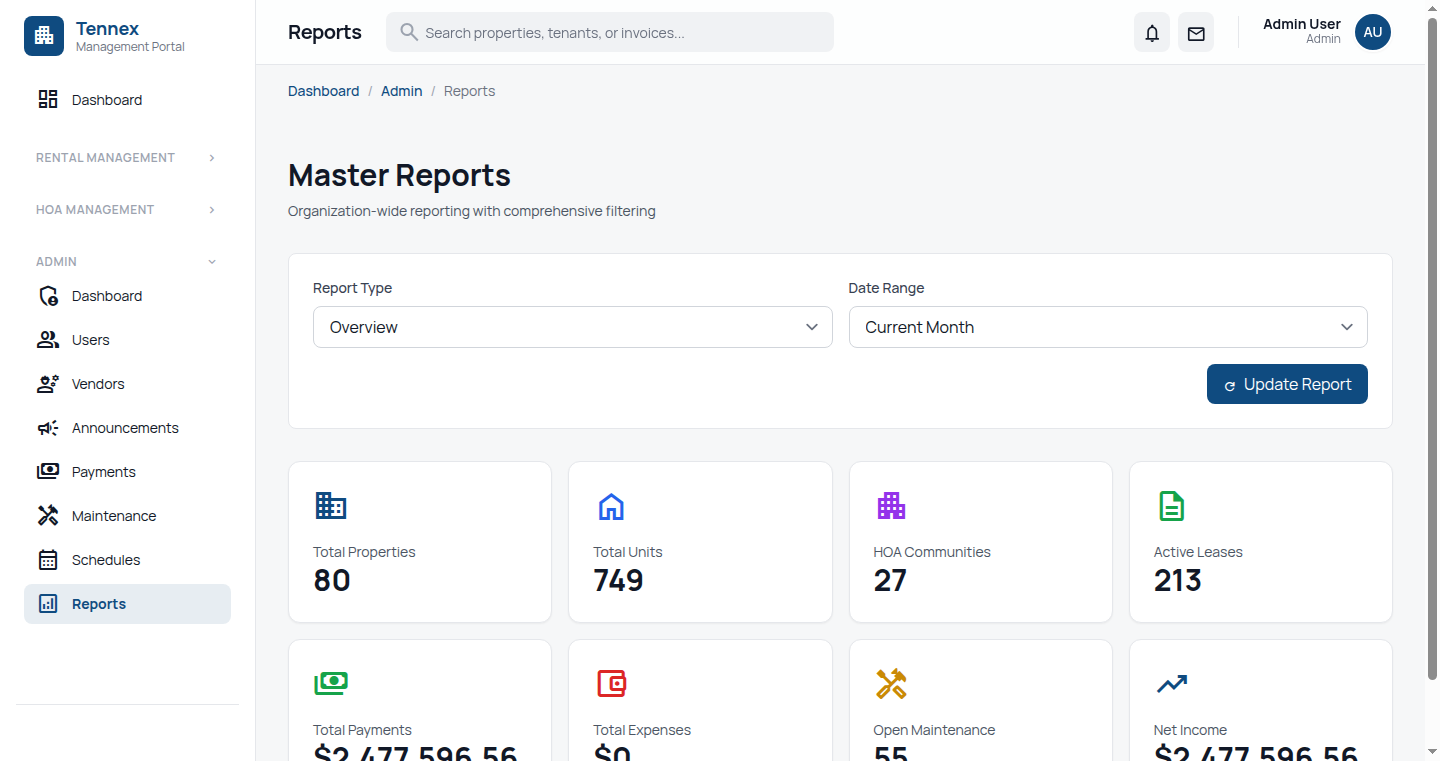 Reports dashboard with all available report types
Financial Reports
| Report |
Description |
| Rent Roll |
All units with lease/rent information |
| Rent Collection |
Payments received vs expected |
| Aged Receivables |
Outstanding balances by age (30/60/90 days) |
| Income Statement |
Revenue and expenses summary |
| Security Deposits |
All security deposits held |
Property Reports
| Report |
Description |
| Occupancy |
Occupied vs vacant units |
| Lease Expirations |
Upcoming lease end dates |
| Unit Turnover |
Move-in/move-out history |
| Property Comparison |
Compare metrics across properties |
Maintenance Reports
| Report |
Description |
| Open Requests |
All unresolved maintenance requests |
| Request Summary |
Requests by category, status, time |
| Maintenance Costs |
Expenses by property/category |
| Response Time |
Average time to complete requests |
Tenant Reports
| Report |
Description |
| Tenant Directory |
All tenants with contact info |
| Payment History |
Payment records by tenant |
| Late Payment |
Tenants with late payment history |
Generate a Report
Steps
- Go to "Reports" in navigation
- Select report type from the list
- Set parameters:
- Date Range: Start and end dates
- Properties: All or select specific
- Filters: Additional criteria (status, category)
- Click "Generate Report"
- View report on screen
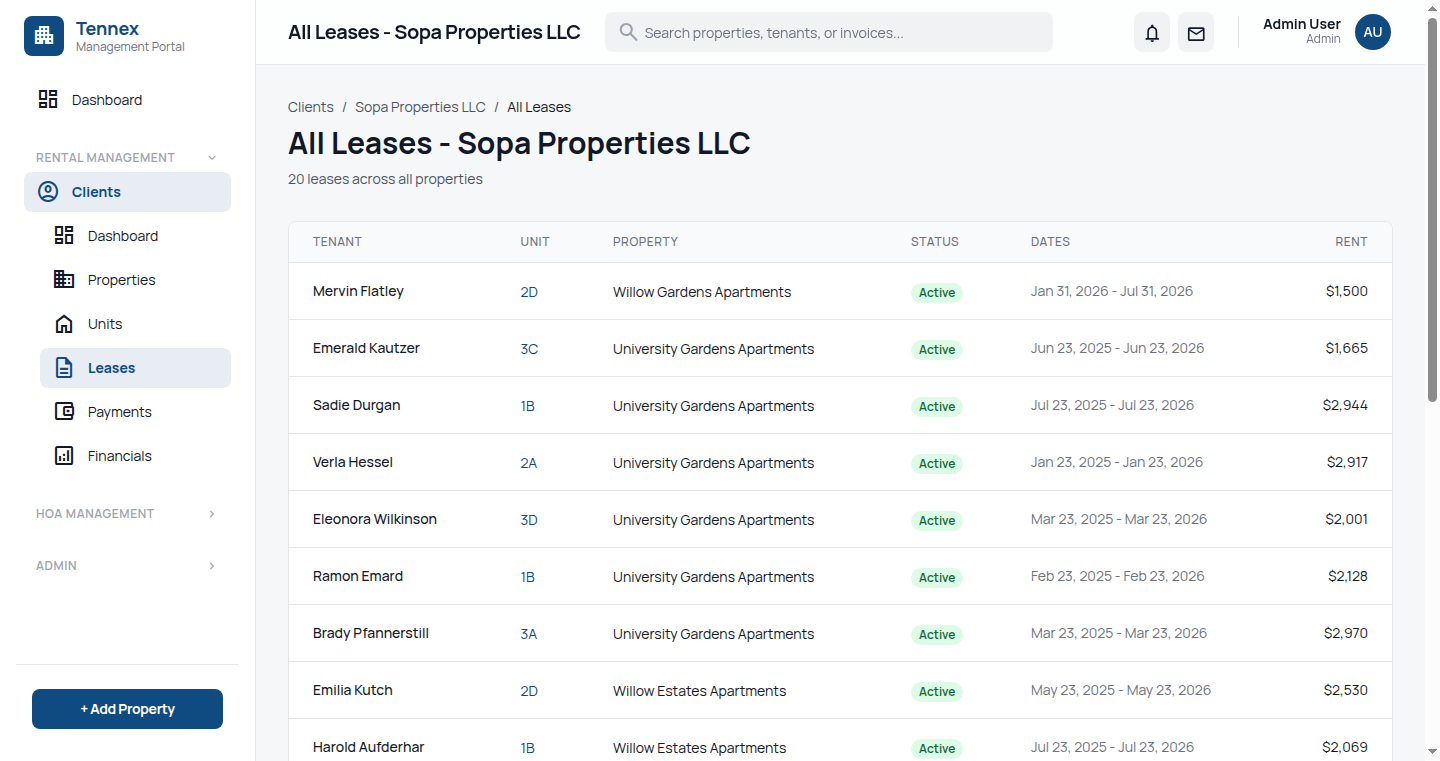 Rent roll report showing all units with lease information
Export & Download
Export Options
- PDF: Formatted for printing
- Excel (XLSX): For spreadsheet analysis
- CSV: For data import into other systems
Steps
- Generate report as above
- Click "Export" or "Download"
- Select format (PDF, Excel, CSV)
- File downloads to your computer
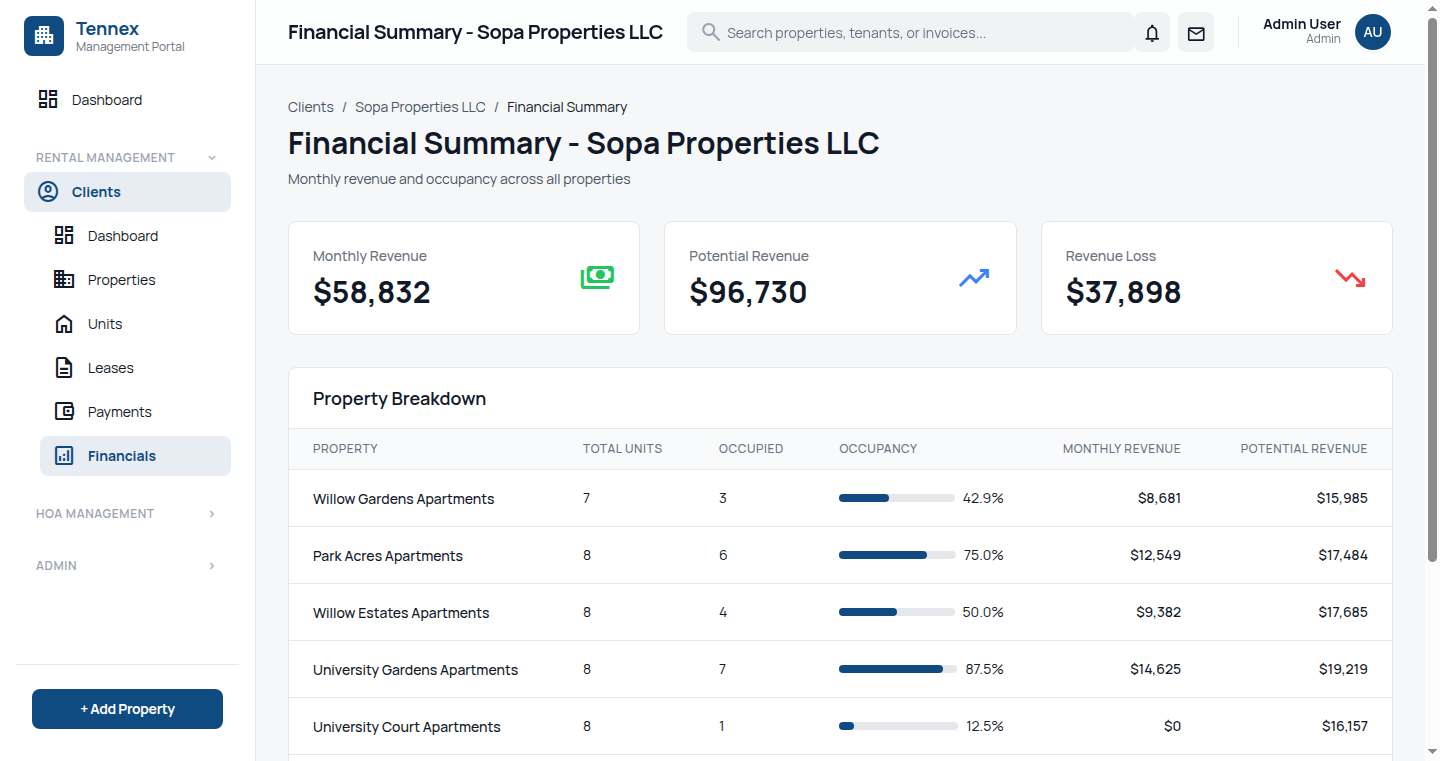 Occupancy report with charts and metrics
Schedule Reports
Set Up Scheduled Report
- Generate and configure report
- Click "Schedule This Report"
- Set schedule:
- Frequency: Daily, Weekly, Monthly
- Day/Time: When to generate
- Recipients: Email addresses to send to
- Click "Save Schedule"
Scheduled Reports: Reports are generated automatically and emailed as PDF attachments to specified recipients.
Common Scheduled Reports
- Weekly: Rent collection status
- Monthly: Income statement, occupancy report
- Weekly: Open maintenance requests
- Monthly: Aged receivables